

Appearance
iOS Location Access
To use the functionality inside the Operator Portal, you will need to grant access to Location Services.
Note
Location Services are only ever used when required - we do not continuously monitor your location.
We recommend using the Ask Next Time or While Using the App access level. This means your device will display a Yes/No prompt whenever the application attempts to access your location.
Location is currently only captured during web-based clocking or web-based vehicle movements.
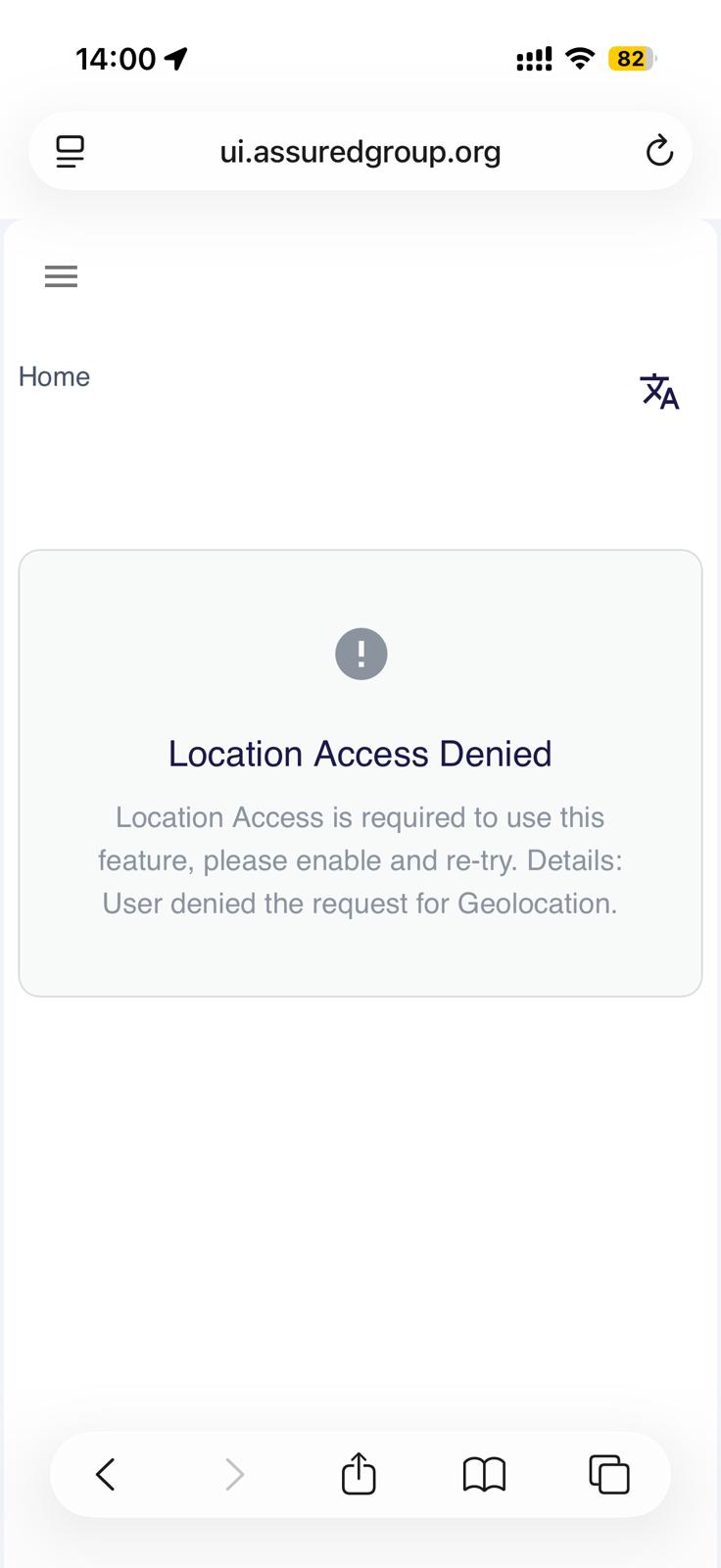
This guide will show you how to resolve the following error:
Enabling Location Services
If you see the above error message, this indicates that your device is blocking location access.
This is most common when using the Safari web browser.
To unblock access, follow these steps:
- Open your iPhone Settings.
- Scroll down and select Privacy & Security.
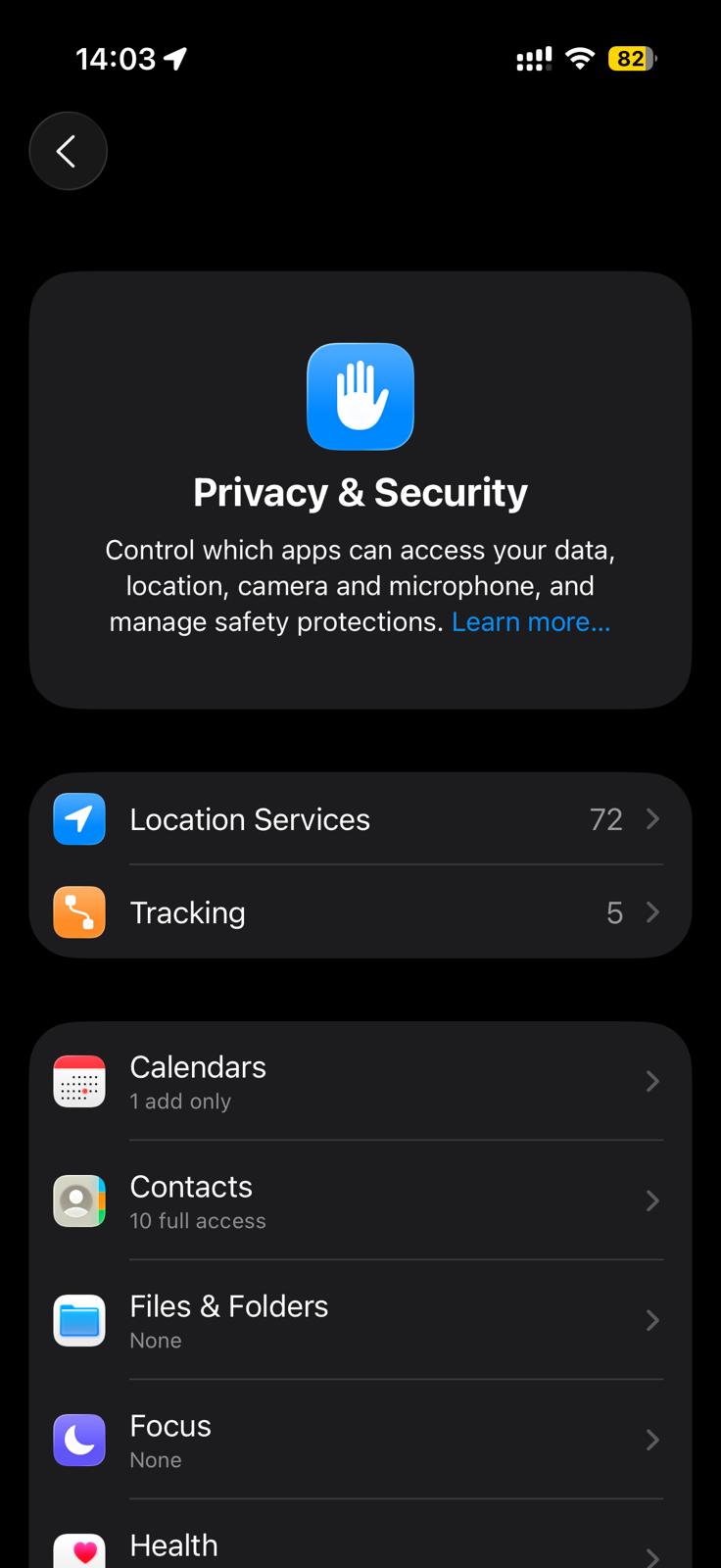
- Tap Location Services.
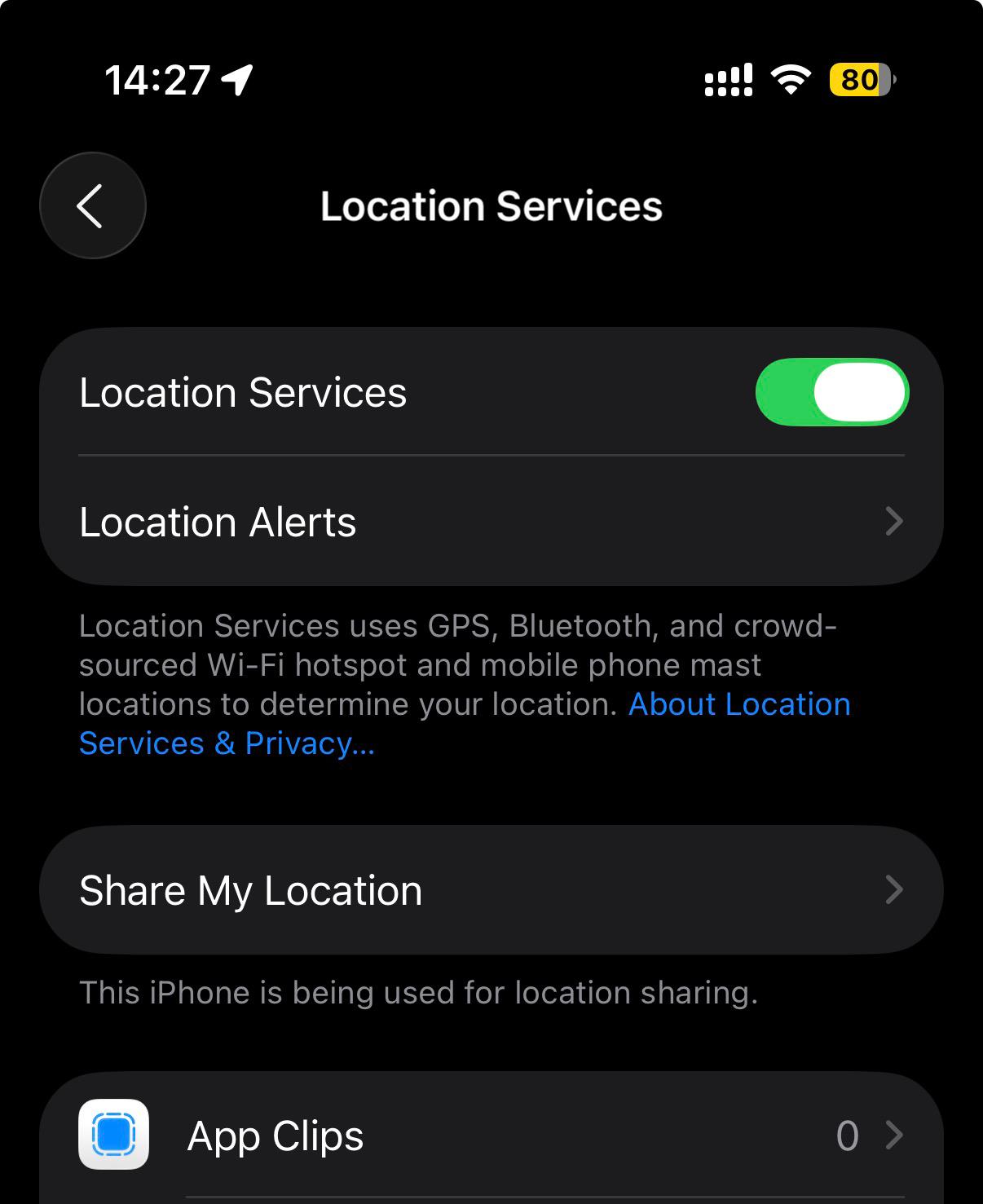
Ensure that Location Services are enabled at the top of the screen.
Scroll to the list of apps at the bottom. Find and select the browser you’re using for the Operator Portal - usually
Safari, but it could also beChrome,Edge, or another browser.
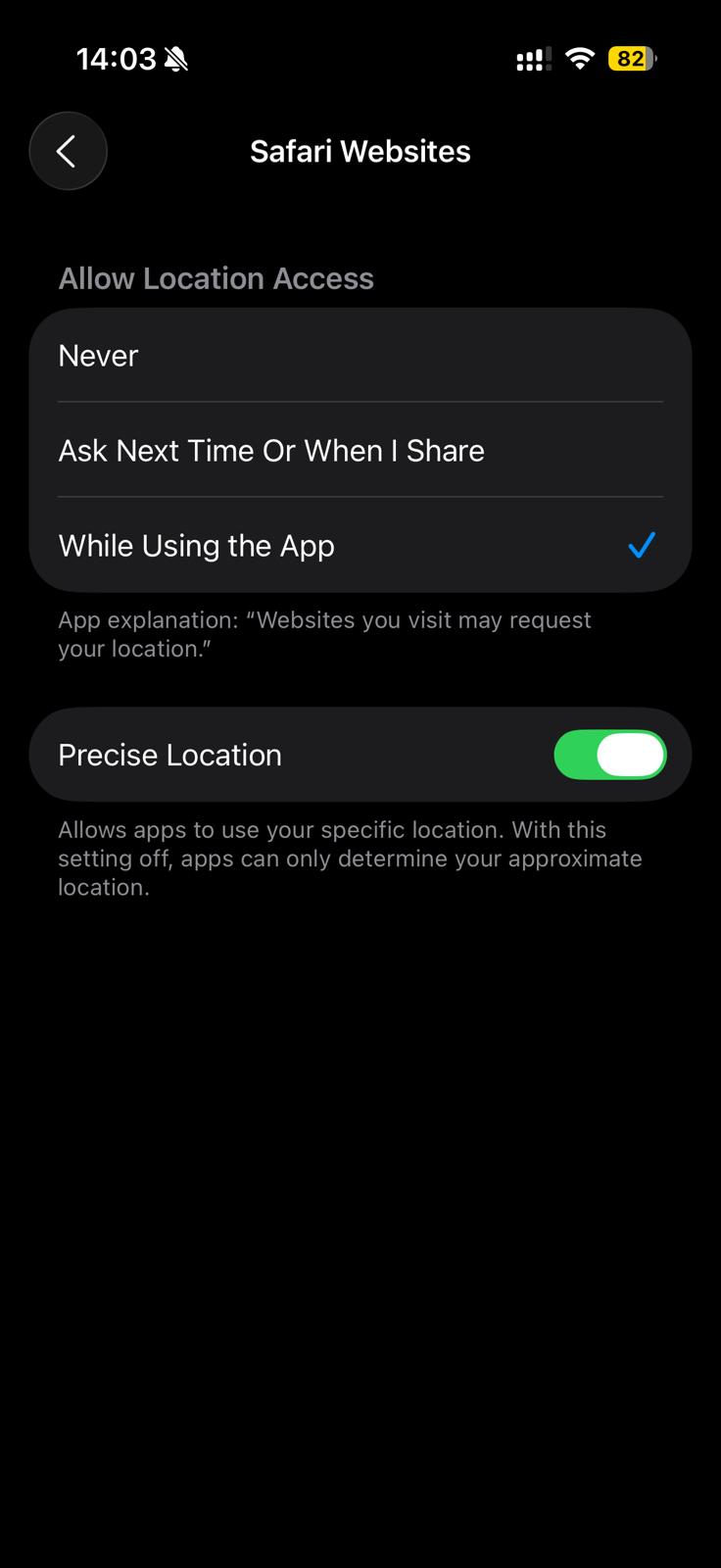
- Set the access level to:
Ask Next Time Or When I Share, orWhile Using the App
Precise Location
If using web-based clocking, a strict geofence is applied around the customer’s premises.
You will need to enable Precise Location, otherwise your device may appear outside the customer’s area and clocking will be disabled.
Prompt / Ask Access
When using the Ask Next Time or Prompt setting, your browser will ask for permission to access your location when required.
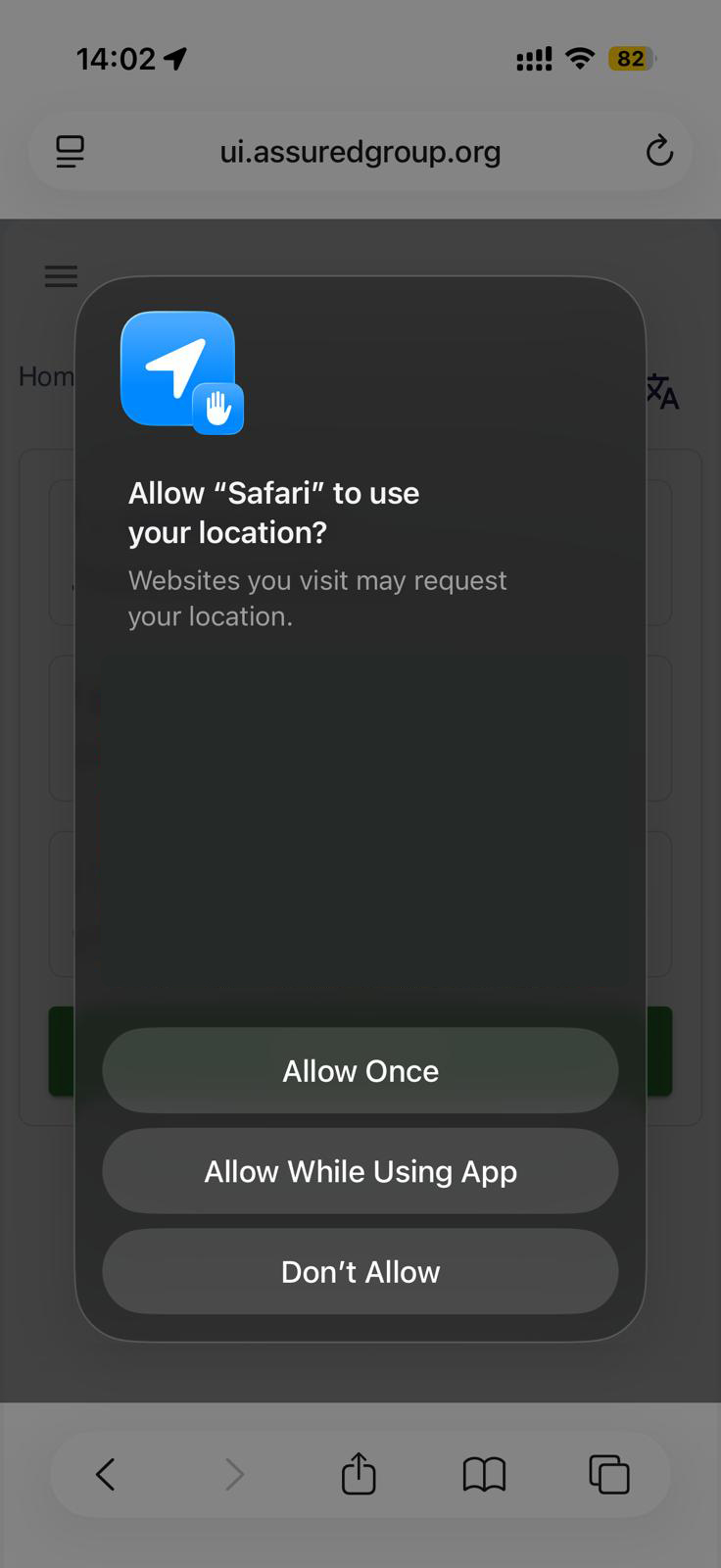
If you accidentally select Don’t Allow, you will need to revisit this guide and repeat the steps above.
Location Services are now enabled, and the Operator Portal should function as expected.
Additional Info
- If permissions don’t seem to apply immediately, try closing and reopening Safari (or the relevant browser).
- For Safari, you may also need to check:
Settings→Safari→Location→ ensure it’s set toAskorAllow. - iOS updates can occasionally reset privacy permissions - if location stops working, recheck these settings.